by Jennifer Hart Yim | Oct 16, 2026 | Blog, Logistics, Marketing, SEO
A shipper used to Google “3PL in Atlanta” and click through ten websites. Now they open ChatGPT and type, “Recommend three 3PLs in Atlanta that handle food grade warehousing and can scale for Q4.” They get a short list with names, reasons, and links. If your company isn’t on that list, you weren’t even considered.
Here, we walk you through how AI search tools decide which logistics companies to recommend, and what you can do to show up more often in ChatGPT, Perplexity, Gemini, and Google’s AI Overviews. It’s the same approach we use with the 3PLs, freight brokers, and carriers we work with.
Quick answer: how do logistics companies show up in AI search?
AI tools recommend companies they can clearly understand and verify. To get cited, logistics companies need specific service and location pages, direct answers to common shipper questions, consistent company information across the web, structured data like FAQ schema, and mentions on credible third-party sites such as trade publications, associations, and partner pages.
Why AI search matters for logistics companies
Logistics buying already involves a lot of research. AI tools shorten that research into one conversation. Instead of building a shortlist from search results, a buyer can ask an AI tool to build it for them.
That changes the game in a few ways:
- The shortlist is shorter. A Google results page shows ten companies. An AI answer might name three.
- The questions are more specific. Buyers prompt with mode, lane, industry, certifications, and volume all in one sentence.
- The click is optional. Many buyers get what they need from the answer itself. The companies named in the answer get the credibility, even before anyone visits a website.
The good news: most logistics companies haven’t adjusted yet. That means there’s still room to get ahead of competitors who are larger than you.
How AI tools decide who to recommend
Each AI platform works a little differently, but they generally lean on the same signals:
- Clarity: Can the tool tell exactly what you do, where you do it, and who you do it for?
- Specificity: Do your pages include concrete facts, like square footage, equipment, certifications, lanes, and industries served?
- Consistency: Does your company description match across your website, LinkedIn, Google Business Profile, and directories?
- Third-party validation: Do other credible sites mention you, link to you, or quote you?
- Freshness: Is your content current, or does your site still talk about 2019 capacity?
If an AI tool has to guess what you do, it will recommend someone it doesn’t have to guess about.
Build pages AI tools can actually quote
AI tools pull answers from pages that are easy to understand and easy to quote. Most logistics websites make this hard with vague headlines, internal jargon, and one generic services page.
To fix that:
- Lead with the answer. Open each page with a plain statement of what you do. “We provide temperature-controlled warehousing and fulfillment for food and beverage brands in the Southeast” beats “Delivering excellence across the supply chain.”
- Give every service its own page. Warehousing, drayage, cross docking, LTL, and e-commerce fulfillment should each have a dedicated page. Our guide to SEO for logistics companies covers how to structure them.
- Include the details buyers ask about. Temperature ranges, dock doors, WMS integrations, hazmat certifications, coverage areas, and typical transit times.
- Use the words buyers use. If shippers search “kitting and assembly,” don’t call it “value-added services” and stop there.
Answer the questions shippers are asking
The prompts buyers type into AI tools look a lot like the questions your sales team hears every week. Build content that answers them directly:
- “What should I look for in a cold chain 3PL?”
- “How much does warehousing cost per pallet?”
- “When should I switch from LTL to FTL?”
- “What’s the difference between a freight broker and a 3PL?”
Start each answer with a one- or two-sentence direct response, then add detail. That format makes it easy for AI tools to pull your answer and cite your page.
Add FAQ sections and schema markup
FAQ sections map neatly onto the way people prompt AI tools. Add a short FAQ to each service page and your most important blog posts, then mark it up with structured data so search engines and AI tools can read it cleanly. Our FAQ schema markup guide walks you through how to do it.
Other schema types worth adding for logistics companies:
- Organization schema with your official name, logo, and social profiles
- LocalBusiness schema for each staffed facility
- Service schema for your core service pages
Keep your company story consistent everywhere
AI tools cross-check what you say about yourself against what the rest of the internet says. If your website says “national 3PL,” your LinkedIn says “regional freight broker,” and an old directory listing still shows a closed warehouse, you look less trustworthy.
Audit and align:
- Your website About page and homepage
- LinkedIn company page
- Google Business Profiles for each location
- Industry directories and association member listings
- Partner and technology vendor pages
- Crunchbase, ZoomInfo, and similar business databases
Use the same company name, the same core description, and the same list of services everywhere.
Get mentioned by sources AI tools trust
AI tools rely heavily on third-party sources. A mention in a trade publication can do more for your AI visibility than another page on your own site.
Places logistics companies can earn mentions:
- Trade publications looking for expert commentary on rates, capacity, or regulations
- Association sites like TIA, IWLA, or CSCMP
- Technology partners (your WMS, TMS, or visibility platform) that publish customer stories
- Trade show exhibitor and speaker pages
- Customer case studies published on both your site and your customer’s
- Podcasts and webinars in the supply chain space
Track whether AI search is working
AI search is newer, so measurement takes a little more effort. Start here:
- Referral traffic from chatgpt.com, perplexity.ai, and gemini.google.com in Google Analytics
- Manual prompt testing. Each month, ask AI tools the questions your buyers ask and note whether you’re mentioned
- Branded search growth in Google Search Console, since AI mentions often lead buyers to search your name
- “How did you hear about us?” on quote forms, with AI tools as an option
- Leads and pipeline in your CRM tied back to AI referral sources
AI search checklist for logistics companies
| What to check |
What good looks like |
Where to fix it |
| Homepage clarity |
First sentence says what you do, where, and for whom |
Homepage and About page |
| Service pages |
One dedicated page per service, mode, and market |
Website navigation and service pages |
| Specific details |
Capacity, equipment, certifications, lanes, and industries served |
Service and location pages |
| Direct answers |
Each section opens with a one- or two-sentence answer |
Blog posts and service pages |
| Structured data |
FAQ, Organization, LocalBusiness, and Service schema in place |
Website code or SEO plugin |
| Consistency |
Same name, description, and services on every platform |
LinkedIn, Google Business Profile, directories |
| Third-party mentions |
Regular coverage in trade publications and partner sites |
PR, associations, technology partners |
| Measurement |
AI referral traffic and monthly prompt tests tracked |
Google Analytics and CRM |
Common AI search mistakes logistics companies make
- Vague homepage copy that never says what you do or where
- One “Services” page covering everything
- Outdated facility, fleet, or capacity information
- Inconsistent company descriptions across platforms
- No FAQs or structured data
- Treating AI search as separate from SEO instead of building on it
Questions we’ve gotten from logistics companies about AI search
Q: Is AI search replacing Google?
A: Not entirely. Google is still a major source of logistics leads, and Google’s own AI Overviews now appear at the top of many results. The smart move is to optimize for both. Most of what helps traditional SEO also helps AI search.
Q: Can we pay to show up in ChatGPT answers?
A: Not in the organic answers. AI recommendations are earned through clear content, consistent information, and third-party credibility. That’s why it pays to start now, before your competitors do.
Q: How long does it take to show up in AI search?
A: It varies by platform. Some AI tools pull from live web search and can reflect changes within weeks. Others update more slowly. Most companies see meaningful movement within a few months of consistent work.
Q: We’re a small 3PL. Can we compete with the big names?
A: Yes, especially on specific prompts. A large national provider may win “best 3PL in the US,” but a specialized regional 3PL can win “food grade 3PL in the Carolinas with Shopify integration.” Specificity is your advantage.
Want to know what AI tools say about your company?
Fronetics works exclusively with supply chain, logistics, and manufacturing companies, and AI search optimization is part of how we help clients get found. Request a free website audit and we’ll show you how your company shows up in AI search today and what to fix first.

by Jennifer Hart Yim | Oct 6, 2026 | Blog, Marketing, Strategy, Supply Chain
Hiring a marketing agency is a big decision for any supply chain company. Pick the right partner and you get a steady pipeline, a stronger brand, and a team that speaks your buyers’ language. Pick the wrong one and you spend six months explaining what a 3PL is.
Here, we walk you through exactly what to look for and the 10 questions to ask before you sign anything.
Quick answer: how to choose a supply chain marketing agency
The best supply chain marketing agency has proven experience in your industry, a clear process tied to pipeline and revenue, the right mix of services for your goals (like SEO, paid media, content, and HubSpot), and transparent reporting. Ask for supply chain case studies, talk to current clients, and make sure the people pitching you are the people who will do the work.
Why industry experience matters so much in supply chain
Supply chain, logistics, and manufacturing buyers are technical, skeptical, and busy. They can spot generic marketing copy in seconds. An agency that already understands your world can:
- Write about cold chain compliance, freight modes, or tolerances without weeks of hand-holding
- Target the right buyers, from VPs of supply chain to plant managers and procurement leads
- Understand long sales cycles and buying committees
- Know which trade shows, publications, and associations actually matter
A generalist agency can learn your industry, but you’ll pay for that learning curve in time and budget.
10 questions to ask a supply chain marketing agency
1. What supply chain, logistics, or manufacturing companies have you worked with?
Look for specific clients in your space, not just “B2B.” Ask whether they’ve worked with companies like yours: 3PLs, freight brokers, carriers, manufacturers, distributors, or supply chain tech companies.
2. Can you show me case studies with real results?
Ask for examples with numbers attached: more qualified leads, better rankings, lower cost per lead, more pipeline. Vague claims like “increased brand awareness” aren’t enough.
3. Can I talk to a current client?
A confident agency will happily connect you with references. Ask those clients about communication, responsiveness, and whether the agency delivered what it promised.
4. How will you measure success?
The right answer connects marketing to business outcomes: quote requests, RFQs, sales-qualified leads, pipeline, and revenue. Traffic and impressions are useful, but they shouldn’t be the finish line.
5. Which services do you offer, and which would you recommend for us?
Most supply chain companies need some mix of SEO, content, paid media (Google Ads and LinkedIn Ads), website development, and marketing automation. A good agency recommends what fits your goals and budget, not everything on their menu.
6. How do you handle SEO and AI search?
Buyers increasingly ask ChatGPT, Perplexity, and Google’s AI Overviews for vendor recommendations. Ask how the agency optimizes for both traditional search and AI search, including tactics like FAQ schema markup, and how they track results from each.
7. Who will actually work on my account?
Find out who’s on your team, what their experience is, and whether senior people stay involved after the contract is signed. Ask if any work is outsourced.
8. How do you get up to speed on our business?
Look for a structured onboarding process: stakeholder interviews, buyer persona development, competitive research, and a review of your current marketing and sales data.
9. How will you work with our sales team?
In supply chain, sales and marketing have to be tightly aligned. Ask how the agency defines a qualified lead, how they hand leads off, and whether they can work inside your CRM (like HubSpot).
10. What does the engagement look like?
Clarify scope, pricing model (retainer, project, or hybrid), contract length, reporting cadence, and what happens if you want to make changes. No surprises is the goal.
Red flags to watch for
- No case studies or references from your industry
- Guaranteed rankings or “page one in 30 days” promises
- Reporting that focuses only on traffic, likes, and impressions
- A one-size-fits-all package that doesn’t reflect your goals
- Long contracts with no clear deliverables or exit terms
- A senior team that disappears after the pitch
Specialist vs. generalist agency: a quick comparison
|
Supply chain specialist |
Generalist agency |
| Industry knowledge |
Already understands your buyers, terminology, and sales cycle |
Needs time to learn your industry |
| Time to results |
Faster ramp-up |
Slower ramp-up |
| Content quality |
Technical and credible from day one |
Often generic until the team gets up to speed |
| Network |
Knows the trade shows, publications, and associations that matter |
Broader but shallower network |
| Best for |
Companies selling to supply chain, logistics, and manufacturing buyers |
Companies selling across many unrelated industries |
Questions we’ve gotten about hiring a supply chain marketing agency
What does a supply chain marketing agency do?
A supply chain marketing agency helps logistics, manufacturing, and supply chain companies attract and convert buyers. Services typically include SEO, content marketing, paid media, website development, social media, marketing automation, and AI search optimization, all tailored to industrial and B2B buyers.
Should we hire an agency or build an in-house team?
It depends on your budget and goals. An agency gives you a full team of specialists (SEO, paid media, content, web development) for less than the cost of hiring each role in-house. Many companies use a hybrid model: an in-house marketing lead who manages an agency partner.
How long does it take to see results from a marketing agency?
Paid campaigns can start generating leads within weeks. SEO and content usually take 3-6 months to build momentum and keep compounding from there. A good agency will set clear expectations for each channel up front.
What should we prepare before talking to agencies?
Know your goals (more leads, a new market, a product launch), your budget range, your ideal customers, and what’s worked or hasn’t in the past. Access to your analytics and CRM data helps agencies give you a realistic plan.
Looking for a supply chain marketing partner?
Fronetics has worked exclusively with supply chain, logistics, and manufacturing companies since 2011. We’d be glad to answer all 10 of these questions for you. Learn more about our supply chain marketing agency or get in touch.

by Jennifer Hart Yim | Oct 6, 2026 | Blog, Manufacturing & Distribution, Marketing, Strategy
Your best-fit buyers aren’t waiting for a cold call. They’re engineers comparing specs at 10pm, procurement managers building a supplier shortlist, and plant managers asking ChatGPT who can run a tight-tolerance job in under six weeks. If your marketing isn’t built for how they buy, you’re relying on referrals and hoping the phone rings.
Here, we walk you through the lead generation playbook we use with manufacturers, from defining who you actually want to sell to, all the way through measuring what turns into revenue.
Why lead generation is different for manufacturers
Manufacturing sales don’t look like other B2B sales. A few things make lead generation trickier:
- Long sales cycles. Qualifying a new supplier can take months, sometimes longer in regulated industries like aerospace, defense, and medical devices.
- Multiple decision-makers. Engineering, quality, procurement, and operations all weigh in, and each cares about something different.
- Technical buyers. Engineers want specs, tolerances, materials, and certifications, not marketing fluff.
- Relationship-driven deals. Once a buyer qualifies you, they tend to stick around. That makes every new account worth fighting for.
The upside? Because each customer is so valuable, a lead generation program that brings in even a handful of the right accounts each year can pay for itself many times over.
1. Define your ideal customer profile
“Anyone who needs machined parts” isn’t a target market. Get specific about who you want more of. Look at your best current customers and ask:
- Which industries are they in? (Aerospace, medical devices, automotive, energy, industrial equipment)
- What size are they, and what are their typical order volumes?
- Which capabilities do they rely on you for most?
- Which certifications or compliance requirements matter to them? (AS9100, ISO 13485, ITAR, IATF 16949)
- Which accounts are the most profitable, not just the biggest?
Here’s an example: a precision machine shop might find that its most profitable work comes from medical device OEMs that need low-volume, high-mix titanium components. That’s a much sharper target than “medical,” and it shapes every piece of marketing that follows.
2. Map the buying committee
Next, figure out who’s involved in the decision and what each person needs to say yes.
- Design and manufacturing engineers: capabilities, tolerances, materials, DFM support, CAD file compatibility
- Quality managers: certifications, inspection equipment, quality documentation, defect rates
- Procurement and supply chain: pricing, lead times, capacity, supplier risk, location
- Operations and executives: reliability, scalability, long-term partnership potential
Your website and content should give every one of these people what they’re looking for, because they’re all checking you out, usually without telling you.
3. Turn your website into a lead generation engine
For most manufacturers, the website is the first real sales conversation. Make sure yours includes:
- Capability pages for each core process (CNC machining, injection molding, sheet metal fabrication, assembly), with equipment lists, tolerances, materials, and part size ranges
- Industry pages that speak directly to each target market and its requirements
- Certifications and quality information that’s easy to find, not buried in a PDF
- A frictionless RFQ form that lets buyers upload drawings and specify quantities and timelines
- Proof: case studies, part photos, and customer results
Quick gut check: if an engineer landed on your homepage, could they tell within 10 seconds whether you can make their part? If not, that’s your first fix.
4. Get found in search and AI tools
Engineers and buyers search for very specific things, like “5-axis CNC machining titanium” or “ISO 13485 contract manufacturer.” Those are the searches you want to win.
- Target keywords that combine a process, material, industry, or certification
- Build a dedicated page for each capability and industry instead of one long list
- Add FAQ sections and FAQ schema markup to answer common buyer questions
- Lead each page with a clear, specific summary of what you do, for whom, and where. AI tools like ChatGPT and Google’s AI Overviews pull from content that answers questions directly.
- Keep your company details consistent across your website, LinkedIn, Thomasnet, and industry directories
5. Create technical content that builds trust
Content is where you prove you know your stuff before a buyer ever talks to you. The most effective manufacturing content is practical and specific. A few ideas:
- Design guides, like “Designing plastic parts for injection molding: wall thickness, draft, and ribs”
- Material comparisons, like “304 vs. 316 stainless steel: which is right for your application?”
- Cost explainers, like “What drives the cost of a CNC machined part?”
- Process comparisons, like “Die casting vs. CNC machining for low-volume production”
- Case studies that show the problem, your solution, and measurable results
Pro tip: your engineers and estimators already answer these questions every day. A 20-minute interview with one of them can turn into a month of content.
6. Use paid media to reach the right accounts
Organic search builds over time. Paid media puts you in front of buyers right now.
- Google Ads: Capture high-intent searches like “custom metal stamping supplier” when buyers are actively looking. (Our guide to PPC for logistics companies covers many of the same principles.)
- LinkedIn Ads: Target by job title, industry, and company size to reach engineers and procurement leaders at your ideal accounts.
- Retargeting: Stay top of mind with people who visited your capability pages but didn’t submit an RFQ.
7. Focus on your highest-value accounts with ABM
If a small number of accounts could transform your business, account-based marketing (ABM) is worth a look. Instead of casting a wide net, you build campaigns around specific target companies and the people on their buying committees. We break down how this works in our post on account-based marketing for the packaging industry, and the same framework applies to manufacturers.
8. Make trade shows pull double duty
Trade shows are still a major lead source for manufacturers, but too many companies treat them as a one-time event. Promote your booth before the show, capture and follow up on every conversation within days, and turn what you learned into content afterward. Our trade show marketing guide walks through the full process.
9. Nurture leads through a long sales cycle
Most manufacturing leads aren’t ready to buy the day they find you. Nurturing keeps you in the conversation until they are.
- Use your CRM (like HubSpot) to track every lead, RFQ, and touchpoint
- Set up email sequences that share relevant case studies, guides, and capability updates
- Score leads based on fit and engagement so sales focuses on the right people
- Agree with sales on what counts as a qualified lead, and when marketing hands it off
10. Measure what turns into revenue
Website traffic and LinkedIn likes are nice, but they don’t pay the bills. Track the metrics that connect marketing to sales:
- RFQs and quote requests by source
- Lead-to-opportunity and opportunity-to-win rates
- Cost per qualified lead by channel
- Pipeline and revenue influenced by marketing
- Time from first touch to first order
Common lead generation mistakes manufacturers make
- Relying only on referrals and trade shows
- A website that lists capabilities but never explains who they’re for
- RFQ forms that are long, confusing, or don’t accept file uploads
- Generic content that could apply to any manufacturer
- No follow-up process for leads that aren’t ready to buy yet
Questions we’ve gotten from manufacturers about lead generation
Q: What’s the best lead generation channel for manufacturers?
A: It depends on your buyers, but for most manufacturers, a strong website paired with SEO delivers the best long-term return. Google Ads and LinkedIn Ads can speed things up, and trade shows remain valuable for relationship building.
Q: How long does it take to see results?
A: Paid campaigns can drive RFQs within weeks. SEO and content usually start to move the needle within 3-6 months and keep compounding from there. Because manufacturing sales cycles are long, expect revenue to lag behind lead volume.
Q: Is LinkedIn worth it for manufacturers?
A: Yes, especially for reaching engineers and procurement leaders at specific companies. LinkedIn’s targeting by job title, industry, and company size makes it one of the best tools for B2B manufacturers, even if the cost per click is higher than other platforms.
Q: We’re a small manufacturer. Where should we start?
A: Start with your website. Make sure your capabilities, industries, and certifications are clear, and that your RFQ form is easy to use. Then pick one channel, like SEO or Google Ads, and do it well before adding more.
Ready to build a steadier pipeline?
Fronetics works exclusively with manufacturing, logistics, and supply chain companies, so we understand your buyers and your sales cycle. If you want to know where your website is losing leads, request a free website audit and we’ll show you what to fix first.

by Jennifer Hart Yim | Oct 6, 2026 | Blog, Logistics, Marketing, Strategy
Your next shipper is searching right now. They’re typing “temperature-controlled 3PL in Dallas” or “LTL carrier for automotive parts” into Google, or asking ChatGPT for a shortlist. Then they’re calling whoever shows up. If that’s not you, it’s your competitor.
Here, we walk you through how SEO works for logistics companies, what to fix first, and how to show up in AI search too. Consider this the same playbook we use with the 3PLs, freight brokers, and carriers we work with.
Why SEO matters for logistics companies
Logistics buyers do their homework before they ever fill out a quote form. A VP of supply chain looking for a new warehousing partner will search, compare websites, read case studies, and build a shortlist, often before talking to a single sales rep.
SEO puts you on that shortlist. And because logistics contracts tend to be long and high-value, a single page that ranks for the right search can pay for your entire SEO program many times over.
SEO also compounds. PPC stops the moment you stop paying. A well-built service page can keep bringing in qualified leads for years.
Start with the keywords your shippers actually use
Here’s the most common mistake we see: logistics companies optimize for their own internal language instead of the words their buyers type into Google. Your team might say “value-added services.” Your buyer is searching “kitting and assembly services near Chicago.”
The best logistics keywords usually combine a few of these elements:
- Service + location: “3PL warehouse in Savannah,” “drayage services Port of Long Beach”
- Service + mode: “expedited LTL shipping,” “flatbed freight broker”
- Service + industry: “food grade warehousing,” “pharmaceutical cold chain logistics,” “e-commerce fulfillment for apparel brands”
- Problem-based searches: “how to reduce freight costs,” “how to choose a 3PL,” “FTL vs LTL”
These searches have lower volume than a broad term like “logistics company,” but the person typing them knows exactly what they need. That’s who you want.
Build a page for every service, mode, and market
If your website lumps everything you do onto one “Services” page, Google has no idea which searches to show you for. Give each core service its own page, and make it specific.
A strong logistics service page includes:
- A clear headline that matches the search (“Temperature-controlled warehousing in Dallas”)
- Who the service is for and the problems it solves
- Real specifics: square footage, dock doors, temperature ranges, certifications, equipment, coverage area
- Proof: a short case study, customer quote, or performance metric
- A simple next step, like a quote form or a phone number
The same rule applies to location pages. If you operate warehouses or terminals in five markets, each one deserves its own page with real details about that facility. Avoid copy-and-paste city pages where only the city name changes. Google sees right through them, and so do your buyers.
Win local search for every facility
When a shipper searches “cross dock near me” or “warehouse space in Memphis,” Google often shows a map pack before the regular results. To show up there:
- Claim and fully complete a Google Business Profile for each physical location
- Use the exact same company name, address, and phone number everywhere it appears online
- Add real photos of your facilities, fleet, and team
- Ask happy customers for reviews, and respond to every review you get
- List your company in industry directories and association member listings
Freight brokers and other non-asset companies without a warehouse should focus less on local SEO and more on lanes, modes, and industries served. Only create a Business Profile for a real, staffed office.
Fix the technical basics
You don’t need to be a developer to spot the big technical issues. Start with these:
- Speed and mobile: Plenty of shippers check you out from their phone on a warehouse floor. If your site is slow or hard to use on mobile, they’ll bounce.
- Indexing: Make sure Google can find and index your important pages. Google Search Console will tell you which pages are excluded and why.
- Schema markup: Structured data helps search engines understand your business, services, and locations. Our guide to FAQ schema markup is a good place to start.
- Conversion tracking: Track quote requests and calls from organic search so you can tie SEO to revenue, not just traffic.
Create content that answers shipper questions
Your blog is where you capture buyers earlier in their research, before they’re ready to request a quote. The best logistics content answers the questions your sales team hears every week. A few ideas:
- “How to choose a 3PL for your e-commerce brand”
- “FTL vs LTL: which is right for your shipment?”
- “What does warehousing cost? A pricing breakdown”
- “Hazmat shipping requirements: a checklist for shippers”
- Event content, like our list of logistics trade shows and events
Ask your sales and customer service teams what questions come up most. Each one is a potential blog post that a real buyer is already searching for.
Show up in AI search, too
More buyers are skipping the list of blue links and asking ChatGPT, Perplexity, Gemini, or Google’s AI Overviews for recommendations. The good news is that most of what helps traditional SEO also helps AI search. For a deeper look, see how logistics companies get recommended by ChatGPT and AI search. A few things matter even more:
- Lead with the answer. Open each page and section with a direct, quotable answer, then add detail.
- Be specific. AI tools favor concrete facts: services, locations, industries served, certifications, capacity.
- Use FAQs. Question-and-answer sections map neatly to the way people prompt AI tools.
- Stay consistent. Describe your company the same way on your website, LinkedIn, directories, and press coverage.
- Get mentioned elsewhere. AI tools lean on third-party sources. Trade publications, association sites, and partner pages all help.
Earn links from the logistics ecosystem
Links from other credible websites are still one of the strongest ranking signals. Logistics companies have more link opportunities than they realize:
- Association memberships like TIA, IWLA, or CSCMP
- Technology partners (your WMS, TMS, or visibility platform) that list customers or partners
- Trade publications looking for expert commentary
- Exhibitor and speaker pages from trade shows you attend
- Customer case studies published on both your site and your customer’s
Measure what matters
Traffic is nice. Quote requests are better. Track these metrics to see whether SEO is working:
- Organic quote requests, form fills, and calls
- Rankings for your priority service and location keywords
- Impressions and clicks in Google Search Console
- Referral traffic from AI tools like ChatGPT and Perplexity in Google Analytics
- Pipeline and revenue influenced by organic search in your CRM
Common SEO mistakes logistics companies make
- One generic “Services” page instead of dedicated service pages
- Copy-and-paste location pages
- Writing in internal jargon instead of buyer language
- No tracking on quote forms and phone calls
- Launching a blog and letting it go quiet after a few months
Questions we’ve gotten from logistics companies about SEO
Q: How long does SEO take for a logistics company?
A: You’ll usually start to see movement within 3-6 months, especially for specific service and location searches. Broad, competitive terms like “3PL” or “freight broker” take longer and require more content and links.
Q: Should we invest in SEO or PPC?
A: Ideally both. PPC gets you in front of buyers right away, and the search term data tells you which keywords convert. SEO builds the long-term pipeline that doesn’t depend on ad spend. Many of our logistics clients use PPC data to decide which SEO pages to build first.
Q: We’re a freight broker without warehouses. Does SEO still work for us?
A: Yes. Focus on the modes, lanes, equipment types, and industries you serve rather than city pages. Content that helps shippers solve problems, like capacity crunches or rising rates, also performs well for brokers.
Q: Can we do SEO in-house?
A: Absolutely, if you have someone with the time and skills to own it. Where companies usually get stuck is consistency. SEO rewards steady, ongoing work, and that’s hard to keep up when it’s someone’s side project.
Ready to get found by more shippers?
Fronetics works exclusively with supply chain, logistics, and manufacturing companies, so we already speak your buyers’ language. If you want a second set of eyes on your site, request a free website audit and we’ll show you where you’re leaving leads on the table.
by Jennifer Hart Yim | Sep 28, 2026 | Blog, Content Marketing, Logistics, Supply Chain, Transportation & Trucking
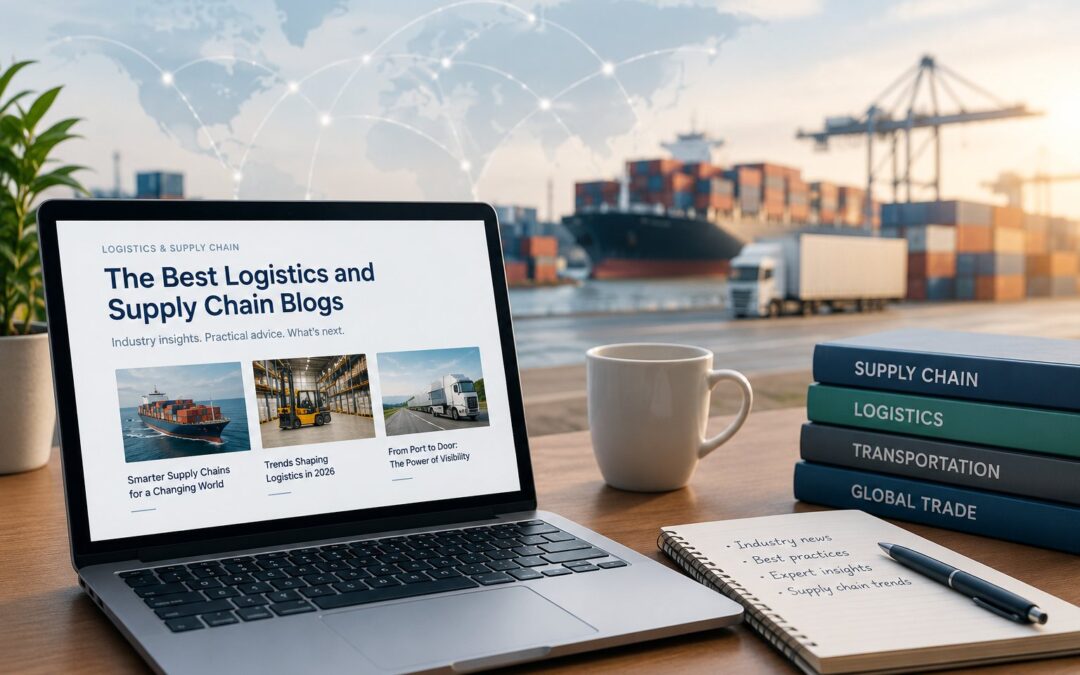
There’s no shortage of supply chain content out there. The hard part is knowing which sources are worth your time. Between tariffs, freight market swings, labor challenges, and the rush to adopt AI, the people running supply chains need sources that are timely, credible, and actually useful.
Here, we share the logistics and supply chain blogs and publications our team reads to stay on top of the industry. We’ve been publishing lists like this since 2015, and we update this one regularly so it stays current. Every source below was actively publishing when we last reviewed the list in October 2026.
Quick answer: what are the best logistics and supply chain blogs?
The best logistics and supply chain blogs to follow in 2026 include Supply Chain Dive, FreightWaves, Logistics Management, DC Velocity, SupplyChainBrain, Supply Chain Management Review, Supply Chain 24/7, Inbound Logistics, CSCMP’s Supply Chain Xchange, Logistics Viewpoints, Supply Chain Shaman, The Loadstar, the Women In Trucking blog, and MIT CTL news.
Best blogs for supply chain news
Published by: Industry Dive (an Informa TechTarget publication)
What it covers: Daily news briefs and analysis on logistics, operations, procurement, tariffs, and trade.
Best for: Supply chain leaders who want fast, readable news without the fluff.
Visit Supply Chain Dive →
Published by: Peerless Media
What it covers: A daily news hub covering logistics, warehousing, transportation, and technology, pulling from sister publications like Logistics Management and Supply Chain Management Review.
Best for: Anyone who wants one feed that covers a lot of ground.
Visit Supply Chain 24/7 →
Published by: Keller International Publishing
What it covers: News, contributed thought leadership, and podcasts on supply chain strategy, planning, and technology.
Best for: Supply chain managers and senior leaders who like a mix of articles and audio.
Visit SupplyChainBrain →
Best blogs for freight and transportation
Published by: FreightWaves
What it covers: Freight market news across trucking, ocean, air, rail, and brokerage, plus earnings coverage of major carriers and 3PLs.
Best for: Carriers, freight brokers, 3PLs, and anyone watching rates and capacity.
Visit FreightWaves →
Published by: Peerless Media
What it covers: News and analysis on freight transportation modes, rates, fuel prices, industrial real estate, and logistics policy.
Best for: Shippers and transportation managers.
Visit Logistics Management →
Published by: The Loadstar (UK)
What it covers: Global freight news and commentary on ocean, air, freight forwarding, and rates. Some premium content requires a subscription.
Best for: Forwarders, carriers, and international shippers.
Visit The Loadstar →
Published by: Women In Trucking Association
What it covers: News and profiles focused on women in the trucking industry, workforce trends, and recruiting.
Best for: Fleets, carriers, and HR leaders working on recruiting and retention.
Visit Women In Trucking →
Best blogs for warehousing and operations
Published by: Agile Business Media
What it covers: Warehousing and distribution center operations, transportation, logistics technology, labor, and case studies.
Best for: Logistics and operations managers running facilities.
Visit DC Velocity →
Published by: Inbound Logistics
What it covers: Practical, shipper-focused guides and columns on transportation, 3PLs, technology, and supply chain practice.
Best for: Shippers evaluating logistics partners and practices.
Visit Inbound Logistics →
Best blogs for supply chain strategy and leadership
Published by: Peerless Media
What it covers: Strategy and management content, including research and a daily briefing. Some magazine content is reserved for subscribers.
Best for: Supply chain executives and senior managers.
Visit Supply Chain Management Review →
Published by: Council of Supply Chain Management Professionals (CSCMP)
What it covers: Practitioner, thought leader, and academic perspectives on supply chain strategy, operations, workforce, and sustainability. Formerly known as Supply Chain Quarterly.
Best for: Supply chain professionals and CSCMP members.
Visit CSCMP Supply Chain Xchange →
Published by: MIT Center for Transportation & Logistics
What it covers: Research news and expert commentary from one of the leading academic supply chain centers.
Best for: Leaders who want data-driven, research-backed insight.
Visit MIT Center for Transportation & Logistics →
Best blogs for supply chain technology
Published by: ARC Advisory Group
What it covers: Analyst commentary on logistics and supply chain technology, including AI, visibility, cybersecurity, and warehouse automation.
Best for: Teams evaluating supply chain software and automation.
Visit Logistics Viewpoints →
Published by: Lora Cecere, founder of Supply Chain Insights
What it covers: Long-form, opinionated commentary on supply chain planning, enterprise software, and leadership.
Best for: Planning leaders and technology buyers who want a candid, independent view.
Visit Supply Chain Shaman →
How we chose these blogs
Our team works with supply chain, logistics, and manufacturing companies every day, and these are the sources we actually read. To make the list, a blog or publication had to meet four criteria:
- Actively publishing. Every source on this list published new content in October 2026, when we last reviewed it.
- Original insight. We looked for original reporting, analysis, or expert opinion, not just reposted press releases.
- Useful for practitioners. The content helps people who run, buy for, or sell to supply chains do their jobs better.
- Credible and independent. We favored established publications, associations, research centers, and respected analysts, and we don’t accept payment for placement on this list.
How to get more out of supply chain blogs
- Subscribe to newsletters. Most of these publications offer free daily or weekly email newsletters, which is the easiest way to keep up.
- Pick a few, not all. Choose one or two news sources and one or two specialty blogs that match your role.
- Use them for content ideas. If you market a supply chain company, these sources show what your buyers are reading and worrying about right now.
- Look for guest contribution opportunities. Many of these publications accept contributed articles from industry experts, which is a great way to build credibility and earn links back to your site.
Questions we’ve gotten about logistics and supply chain blogs
Q: What is the best free source for supply chain news?
A: Supply Chain Dive, FreightWaves, and Supply Chain 24/7 are all free to read and publish daily, which makes them strong choices for staying current on supply chain news.
Q: Which blogs are best for freight and trucking news?
A: FreightWaves and Logistics Management are two of the most widely read sources for freight market news. The Loadstar is a strong choice for global ocean and air freight.
Q: How often is this list updated?
A: We review this list regularly and remove sources that stop publishing. Every blog on this list was actively publishing as of October 2026.
Q: How can my company’s blog get featured on lists like this?
A: Publish consistently, focus on your buyers’ real questions, and share original insight instead of generic content. Contributing articles to industry publications and earning mentions from respected sources also helps your blog get noticed.
Want your blog to be one buyers read?
Fronetics works exclusively with supply chain, logistics, and manufacturing companies, and content marketing is at the heart of what we do. Learn more about our supply chain marketing services or get in touch to talk about building a blog your buyers actually want to read.

by Elizabeth Hines | Sep 18, 2026 | Blog, Content Marketing, Leadership, Logistics, Marketing, Supply Chain, Talent
Editor’s note: This post was originally published in June 2018 and has been updated for 2026 with new research and guidance for supply chain, logistics, and manufacturing companies.
Corporate social responsibility used to be a nice-to-have. A donation here, a volunteer day there, a paragraph on the About page. For supply chain companies, that’s changed. Your customers are now asking about your sustainability practices in RFPs, your future employees are checking your values before they apply, and your reputation follows you into every sales conversation.
Here, we walk you through what corporate social responsibility looks like for supply chain, logistics, and manufacturing companies, the four biggest benefits, and how to talk about your CSR efforts without sounding like everyone else.
Quick answer: what are the benefits of corporate social responsibility?
The four biggest benefits of corporate social responsibility for B2B and supply chain companies are winning and keeping customers who now screen suppliers on sustainability, attracting and retaining talent who want to work for companies that share their values, boosting employee engagement and productivity, and building a stronger brand reputation that sets you apart from competitors.
What corporate social responsibility looks like in supply chain
Corporate social responsibility (CSR) describes how a company works to have a positive impact on its people, its community, and the environment. For supply chain companies, that usually falls into a few buckets:
- Environmental: Reducing emissions across fleets and facilities, cutting packaging waste, improving energy efficiency in warehouses and plants
- Workforce: Safety programs, fair labor practices, training and career development, driver and operator well-being
- Community: Local hiring, employee volunteering, partnerships with schools and workforce programs, disaster relief logistics
- Governance: Ethical sourcing, supplier codes of conduct, transparency in reporting
You don’t need to do everything at once. The most credible CSR programs are tied to what your company actually does and where it can make a real difference.
4 benefits of corporate social responsibility
1. Win and keep more B2B customers
This is the benefit that has changed the most since we first wrote this post. Large shippers and manufacturers are under pressure to reduce emissions and risk across their own supply chains, which means they’re asking their suppliers, carriers, and logistics partners to show what they’re doing.
A 2025 Bain survey of 750 B2B companies found that 49% are already buying more from their more sustainable suppliers, and 68% plan to do so over the next three years. Even more telling: 26% are already leaving suppliers that don’t meet their sustainability criteria, and 49% expect to by 2028.
In practice, that shows up as sustainability questionnaires in RFPs, supplier scorecards, and requests for emissions data. Companies with a clear CSR story and real numbers to back it up have an edge. Companies without one risk getting screened out before price even comes up.
2. Attract and keep the people you need
Hiring is one of the biggest challenges in logistics and manufacturing, from drivers and warehouse associates to engineers and plant managers. Your values are part of what you’re offering candidates.
Deloitte’s 2026 Gen Z and Millennial Survey found that 41% of Gen Z and 39% of millennials have rejected a potential employer because its values didn’t align with their own. These generations make up a growing share of your workforce and your future leadership.
A visible, authentic CSR program gives candidates a reason to choose you, and gives employees a reason to stay.
3. Boost employee engagement and productivity
People who feel proud of where they work tend to work harder and stay longer. CSR initiatives like volunteer programs, safety commitments, and community partnerships give employees a sense of purpose beyond the daily job.
That engagement pays off. Gallup’s 2024 Q12 meta-analysis found that business units in the top quartile of employee engagement saw 23% higher profitability than those in the bottom quartile. CSR is one of many drivers of engagement, but it’s one you can control.
Engaged employees also become brand ambassadors. When your team shares your community work on LinkedIn, it reaches buyers, partners, and candidates in a way company posts can’t.
4. Build a stronger, more trusted brand
Supply chain companies often struggle to stand out. Many 3PLs, carriers, and manufacturers describe themselves in nearly identical terms. CSR gives you something specific and human to talk about.
A strong CSR story helps you:
- Differentiate from competitors who sound the same
- Build trust with buyers before the first sales call
- Earn coverage in trade publications and local media
- Give your marketing team real stories to tell on LinkedIn, your blog, and your website
Third-party mentions of your CSR work also help you show up in search. AI tools like ChatGPT and Google’s AI Overviews lean heavily on credible outside sources, so coverage of your community or sustainability efforts can support your visibility there too. Here’s more on how logistics companies get recommended by AI search.
How to talk about CSR without greenwashing
B2B buyers are skeptical, and vague claims can hurt more than they help. A few rules to follow:
- Be specific. “We cut fleet emissions 12% since 2023 by adding electric yard trucks” beats “We’re committed to a greener future.”
- Show progress, not perfection. It’s fine to say you’re early in the journey. Just be honest about where you are.
- Use real numbers. Buyers increasingly want data they can plug into their own reporting.
- Feature your people. Photos and stories from employees doing the work are more credible than polished statements.
- Make it easy to find. Create a dedicated CSR or sustainability page on your website, and mention it in proposals and RFP responses.
- Keep it current. An outdated sustainability page signals that the effort stopped.
Questions we’ve gotten about corporate social responsibility
Q: Is CSR only for large companies?
A: Not at all. Smaller supply chain companies often have more credible stories because the impact is local and personal. A regional carrier sponsoring a CDL training program or a manufacturer partnering with a local technical school can be just as compelling as a corporate sustainability report.
Q: What’s the difference between CSR and ESG?
A: CSR is a company’s overall approach to being a responsible business. ESG (environmental, social, and governance) is a framework investors and customers use to measure and compare that performance. CSR is the work; ESG is often how it gets scored.
Q: Should we include CSR in our marketing?
A: Yes, as long as it’s real. Your CSR efforts belong on your website, in your proposals, on LinkedIn, and in your recruiting materials. Just make sure claims are specific and backed by data.
Q: How do we measure the impact of CSR?
A: Track both business and program metrics: RFP win rates, customer retention, applicant volume, employee turnover, and engagement scores, alongside program outcomes like emissions reduced, volunteer hours, or community dollars invested.
Need help telling your CSR story?
Fronetics has worked exclusively with supply chain, logistics, and manufacturing companies since 2011. We help companies turn the good work they’re already doing into content that wins customers and talent. Get in touch to talk about your CSR story.
Related posts: